Orvexa Share
Local device-to-device file transfer for Fire TV, Fire Tablet, Android TV, and Android devices over Wi-Fi or hotspot connections.
Orvexa Apps combines lightweight Android and Fire TV utilities with original guides for file management, APK installation, USB OTG, storage cleanup, local media playback, and everyday troubleshooting on real devices.
Local device-to-device file transfer for Fire TV, Fire Tablet, Android TV, and Android devices over Wi-Fi or hotspot connections.
Fast file management for Android and Fire TV with TV remote support, APK handling, and a clean offline-first experience.
Ad-free premium file manager with ZIP support, built-in media tools, PDF viewing, and a polished utility workflow.

A lightweight local media player for smooth audio and video playback across Android phones, tablets, and Fire TV.
Global radio streaming with live stations, favorites, background playback, and layouts tailored for touch and TV remotes.
Local playlist management and playback for Android and Fire Tablet users who want speed, clarity, and reliable offline control.
Modern IPTV and M3U player for Android TV, Google TV, Fire TV, phones and tablets with playlist management, EPG support, and smooth Media3-powered playback.
Use these guides before installing APK files, moving media to a TV, connecting USB storage, or clearing space. Each article focuses on practical steps, safety checks, and common problems that Android TV and Fire TV users run into.
Compare Wi-Fi transfer, USB drives, cloud downloads, and local network sharing so you can choose the cleanest method for your setup.
Read GuideLearn what to check before sideloading, how unknown-app permissions work, and how to reduce risk after installation.
Read GuideUnderstand adapters, file systems, power limits, and why some drives appear on phones but not on TV devices.
Read GuideFind large downloads, clear app caches carefully, move media off internal storage, and prevent the warning from coming back.
Read GuideClean up internal storage, reduce background load, improve Wi-Fi, and keep Android TV responsive without risky tweaks.
Read GuideStart with common problems such as buffering, storage full warnings, remote issues, APK install errors, and USB detection.
Open HubWatch quick walkthroughs for Orvexa Files, Android TV storage cleanup, and simple performance fixes before opening the full guide.
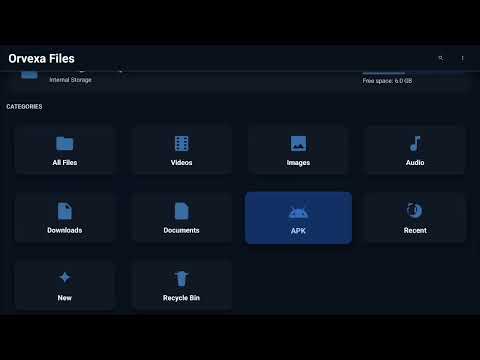
See how Orvexa Files supports Android TV and Fire TV file browsing, APK handling, and remote-friendly local storage management.
A quick visual guide to freeing Android TV storage by reviewing downloads, cache, duplicate APKs, and large media files.
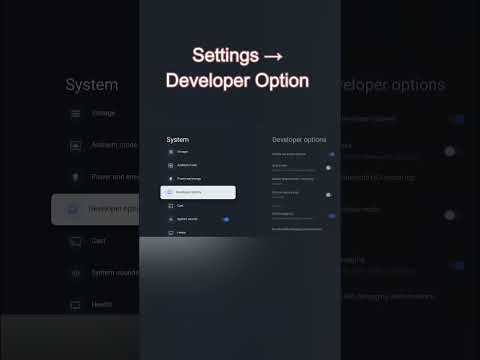
Learn a fast performance habit that can reduce background load and help Android TV feel more responsive.
Watch the Orvexa TV playlist, EPG, favorites, and playback workflow before opening the full IPTV and M3U player guide.
Keep the home screen responsive, organize apps by frequency, use a file manager for downloads, and restart the TV after major installs or removals.
Separate APKs, videos, documents, and temporary downloads into predictable folders so TV remote navigation stays manageable.
Download only from trusted sources, check the package name, keep unknown-source access temporary, and remove installers you no longer need.
Clear cache selectively, uninstall unused apps, move personal media to USB storage, and keep free space available for updates.
Understand why file managers need storage access, why media players request media permissions, and when install access should be temporary.
Compare developer identity, package behavior, version history, and permission prompts before installing APK files outside a store.
Choose a path based on what you are trying to do today.
Start with Wi-Fi, updates, app choices, file management, and APK safety basics.
Start HereLearn internal vs external storage, file formats, permissions, cleanup, and USB OTG.
Learn StorageReview APK verification, modified APK risks, malware warning signs, and sideloading basics.
Review SafetyNo. The site includes app pages, screenshots, privacy details, support links, and original Android TV tutorials for file transfer, APK safety, USB OTG, storage, and troubleshooting.
Several Orvexa apps are designed with TV-style navigation in mind, including file management, file transfer, media playback, and radio listening workflows.
Confirm the source, read the permissions, keep Play Protect or device security features enabled when available, and disable unknown-app installation access after you finish.
Android TV devices often have limited internal storage. APK installers, app cache, failed downloads, and local videos can fill the device quickly unless you review Downloads and move large media elsewhere.
Use the same Wi-Fi network, transfer a small test file first, avoid public networks for private files, and organize received files with a file manager after the transfer finishes.
No. Modified APKs can change privacy behavior, break updates, add unwanted code, or violate app terms. Use official stores, developer releases, or trusted free alternatives instead.
Open the Orvexa app support center, check app permissions, restart the device, and note your Android version before contacting support.
Every page is tuned for phones, tablets, desktop browsers, and TV-style navigation.
The app lineup focuses on efficient rendering and dependable behavior on Android and Fire devices.
Layouts remain readable and easy to navigate using Fire TV and Android TV remotes.
Local-first app flows help keep user content on device whenever possible.
A consistent dark design system keeps the brand recognizable and comfortable for long usage.
Every app page includes direct store, download, support, and privacy access.